CRM Software Development in Ghaziabad: Features, Cost & Benefits
Explore custom CRM software development in Ghaziabad. Learn about CRM features, business benefits, development cost, integrations and project planning.
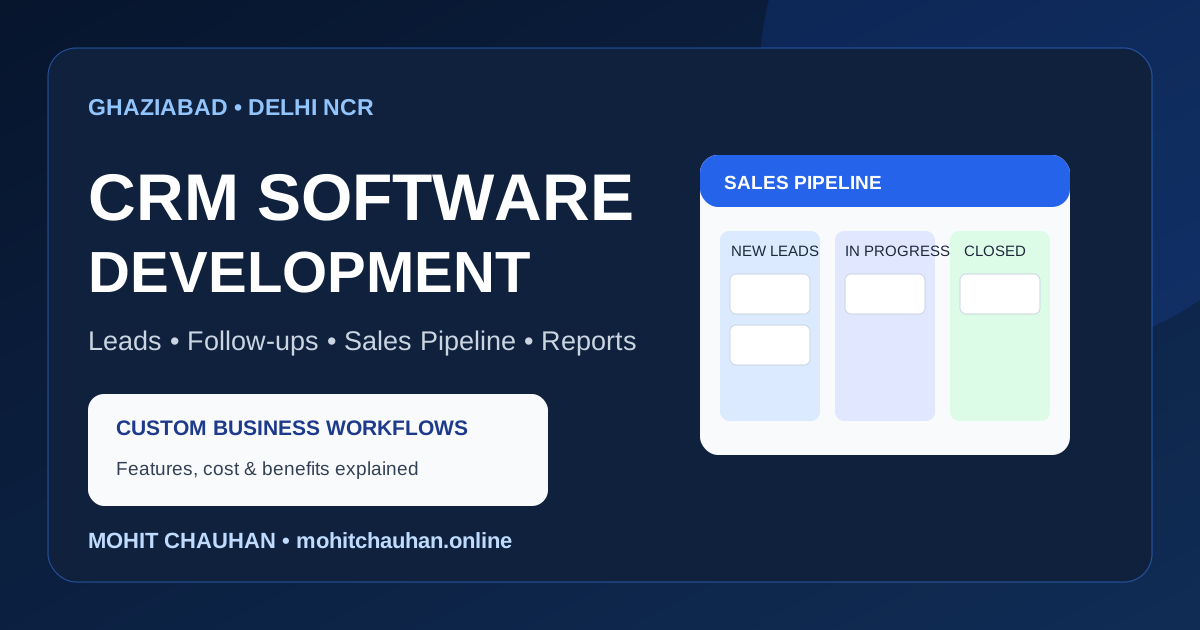
If your business manages customer enquiries through WhatsApp, phone calls, spreadsheets and scattered messages, it can become difficult to remember every follow-up. A Customer Relationship Management (CRM) system brings customer information, sales activity and follow-up tasks into one organised workspace.
For businesses searching for CRM software development in Ghaziabad, the right solution should match the way the team actually works. A small sales team may need a simple lead tracker, while a growing company may need multiple user roles, reports, automation and integrations.
This guide explains what custom CRM software can do, which features matter, how development costs are estimated and when a customised system may be worth considering.
What Is CRM Software?
CRM software helps a business organise its interactions with current and potential customers. It can store contact details, record enquiries, track sales opportunities, schedule follow-ups and show the status of customer conversations.
Instead of searching through separate spreadsheets or chat histories, authorised team members can use a shared system to understand:
- Who the customer is and how to contact them
- What product or service the customer is interested in
- When the enquiry was received
- Which team member is responsible for the lead
- What was discussed and what should happen next
- Whether the opportunity is new, active, won or lost
A CRM is not just a digital address book. When planned properly, it becomes a practical record of the customer journey.
Why Businesses in Ghaziabad May Need a Custom CRM
Businesses across Ghaziabad, Indirapuram, Vaishali, Vasundhara, Raj Nagar Extension and Wave City may have different sales processes. A real-estate team may track property enquiries and site visits, while a service company may need job status, quotations and renewal reminders.
A generic CRM can work well when its workflow matches the business. But if employees rely on workarounds, duplicate entries or separate tools to complete routine tasks, a customised CRM may be worth evaluating.
Common signs that a business needs a more organised system include:
- Enquiries are missed because no one owns the follow-up
- More than one employee contacts the same prospect
- Managers cannot see the current sales pipeline
- Customer details are spread across personal devices
- Reports take too long to prepare manually
- The business needs a workflow that standard CRM plans do not support
The goal should be to solve a clear operational problem, not to build software simply because it is custom.
Essential Features of CRM Software
The feature list should be based on the team's size, process and budget. These are common modules to consider.
1. Lead and Enquiry Management
Capture leads from website forms, phone calls, referrals, campaigns or manual entry. Each record can include the customer's name, contact details, requirement, source and assigned employee.
2. Contact and Company Records
Maintain customer profiles with communication history, notes, documents and related enquiries. This helps the team understand previous interactions before contacting a customer.
3. Sales Pipeline
Use clearly defined stages such as New, Contacted, Qualified, Proposal Sent, Negotiation, Won and Lost. A pipeline view helps managers understand where opportunities are progressing or getting stuck.
4. Follow-Up Reminders and Tasks
Assign calls, meetings and follow-up dates to team members. Reminders can reduce the chance of an enquiry being forgotten, but the business should define who is responsible for acting on them.
5. User Roles and Permissions
An administrator, manager and sales executive may need different access. Role-based permissions help limit access to sensitive customer and business information.
6. Reports and Dashboard
Useful reports may include new leads, lead sources, pending follow-ups, conversion rates, employee activity and sales outcomes. Reports should be based on consistent data and clearly defined metrics.
7. Search, Filters and Export
Quick search and filters help employees find records by name, phone number, date, status, source or assigned user. Export options should follow the business's access and data-handling policies.
8. Integrations
Depending on the workflow, a CRM may connect with website enquiry forms, email, telephony, WhatsApp Business Platform providers, payment systems or accounting software. Third-party API access and subscription charges may apply separately.
Custom CRM vs Ready-Made CRM: Which Should You Choose?
There is no single best option for every business. Compare the actual requirements before choosing.
A ready-made CRM may be suitable when: - Its existing lead and sales workflow fits your process - You want to start quickly with standard features - Per-user subscription pricing is acceptable - You do not need extensive custom integrations
A custom CRM may be suitable when: - Your business has a specialised workflow - You need specific modules or approval steps - You want a tailored interface for different roles - You need to connect multiple internal systems - You have clear requirements for data ownership, hosting or future expansion
Custom software also brings responsibility for development, testing, hosting, backups, security updates and ongoing maintenance. It should not automatically be assumed to be cheaper than a subscription product.
CRM Software Development Cost in India
The cost of custom CRM software depends on the scope rather than only the number of screens. The following are illustrative planning ranges, not fixed quotations or guaranteed market prices:
- Basic lead management CRM: ₹25,000–₹60,000
- Small business CRM with roles, pipeline and reports: ₹60,000–₹1,50,000
- Advanced CRM with custom workflows and integrations: ₹1,50,000–₹4,00,000+
- Complex enterprise CRM with multiple departments or systems: scoped after discovery
A final estimate should be prepared only after understanding user roles, modules, data structure, integrations, security requirements and expected usage. Third-party subscriptions, hosting, messaging charges, taxes, data migration and ongoing support may be additional.
Factors That Affect CRM Development Cost
Number of modules: Lead management alone is a smaller scope than a system with quotations, tasks, support tickets, inventory and billing.
User roles: Different dashboards and permissions add design, development and testing work.
Workflow complexity: Approval chains, automated assignment rules and conditional actions need careful planning.
Integrations: External APIs may require provider approval, paid plans, usage charges and maintenance when APIs change.
Data migration: Importing existing spreadsheets or records requires cleaning, mapping, validation and duplicate handling.
Security and reliability: Authentication, access control, backups, audit logs and testing should be considered from the beginning.
How the CRM Development Process Works
A practical custom CRM project can follow these stages:
1. Requirement discovery: Map the current enquiry-to-sale process and identify the main operational problems. 2. Scope and priorities: Separate must-have features from later enhancements. Define user roles and measurable outcomes. 3. Database and interface planning: Design the records, relationships, navigation and screens before building the full system. 4. Development: Build the agreed modules, permissions, workflows and integrations in planned milestones. 5. Testing: Check forms, permissions, reports, edge cases, backups and the complete user journey. 6. Data import and training: Validate imported records and show employees how to use the system. 7. Launch and maintenance: Monitor the live system, fix issues and plan updates based on actual usage.
Starting with a focused first version can help a business validate the workflow before investing in advanced automation.
CRM Security and Data Ownership
A CRM may contain personal contact details, sales notes and commercially sensitive information. Security should be part of the project scope, not an afterthought.
Discuss the following with your developer:
- Secure login and role-based access
- HTTPS and appropriate data protection controls
- Regular database and file backups
- Audit history for important changes, where required
- A process for removing access when employees leave
- Data export and ownership arrangements
- Hosting, recovery and maintenance responsibilities
Collect and use customer information responsibly, provide appropriate notices and follow applicable privacy and data-protection requirements. The exact controls depend on the type of data and how the CRM is used.
Choosing a CRM Developer in Ghaziabad
Before selecting a CRM development company or freelance developer in Ghaziabad, ask for a clear explanation of the proposed solution.
- Have they understood your existing business workflow?
- Are the modules and deliverables written in the proposal?
- Can they explain the database, user roles and access permissions?
- Are integrations and third-party charges clearly identified?
- Will you receive access to the source code and hosting accounts as agreed?
- Is testing, training and post-launch support defined?
- Can the system be expanded without rebuilding everything?
Avoid comparing quotations only by the lowest price. Compare the scope, quality, ownership terms, delivery plan and support.
If your requirement involves a wider portal, dashboard or business workflow, explore [Custom Web Application Development](/services/custom-web-applications). For local development support, see the [Ghaziabad service area](/locations/ghaziabad).
Frequently Asked Questions
What is the cost of CRM software development in Ghaziabad?
A basic custom lead management CRM may have a smaller scope than a multi-user system with reports, integrations and custom workflows. As an initial planning reference, a basic project may start around ₹25,000, while more advanced projects can cost several lakhs. A reliable quote requires a feature and workflow discussion.
How long does it take to develop a custom CRM?
A focused first version may take a few weeks, while a larger CRM with multiple modules, integrations and data migration can take several months. Timeline depends on scope, feedback, testing and third-party approvals.
Is custom CRM better than ready-made CRM?
Not always. Ready-made CRM software is often suitable when its standard workflow meets your needs. Custom CRM is worth considering when your process, integrations or role requirements cannot be handled efficiently by an existing product.
Can a CRM be integrated with a website?
Yes. A website enquiry form can send lead information to a CRM through a secure API or supported integration. The implementation should include validation, error handling and protection against duplicate or spam submissions.
Can WhatsApp be connected to a CRM?
It may be possible through the official WhatsApp Business Platform and an approved provider, subject to account setup, templates, consent and provider rules. API access and messaging charges may apply. Avoid building business-critical messaging around unofficial automation.
Who owns the data in a custom CRM?
Ownership, access, export rights, hosting and source-code arrangements should be written into the project agreement. The business should retain appropriate access to its records and infrastructure.
Can a CRM be expanded later?
Yes, if the initial database and application architecture are planned sensibly. It is usually better to launch with essential modules, gather feedback and add features in controlled phases.
Plan a CRM Around Your Business Workflow
A useful CRM should make everyday work clearer: capture enquiries, assign responsibility, record conversations and show what needs attention next. Start by documenting the current process and identifying the most costly gaps.
If your business is evaluating custom CRM software development in Ghaziabad, define the essential modules and integrations before requesting a quotation. You can then compare a ready-made product with a custom solution on practical requirements rather than assumptions.
Related articles and services
- Custom Web Applications
- Web Developer in Ghaziabad
- Custom Web Application Development in Noida: CRM, Dashboards & Business Software
- React Developer in Ghaziabad – Modern Web App Development
- Next.js Developer in Ghaziabad – SEO-Friendly Web Development
- PWA Development in Ghaziabad – Installable Web Apps
- Admin Panel Development in Noida: Custom Dashboards for Business Operations
- B2B eCommerce Website Development in Noida: Wholesale Ordering Portals